
Contents
- Table of Contents
- What a paperless office with AI actually means
- What nobody tells you about document AI and paper
- The 4 pieces that actually matter
- Where AI fits into each piece
- How to start without losing a single document
- FAQ
- Checklist before you launch your paperless office project
- Related articles
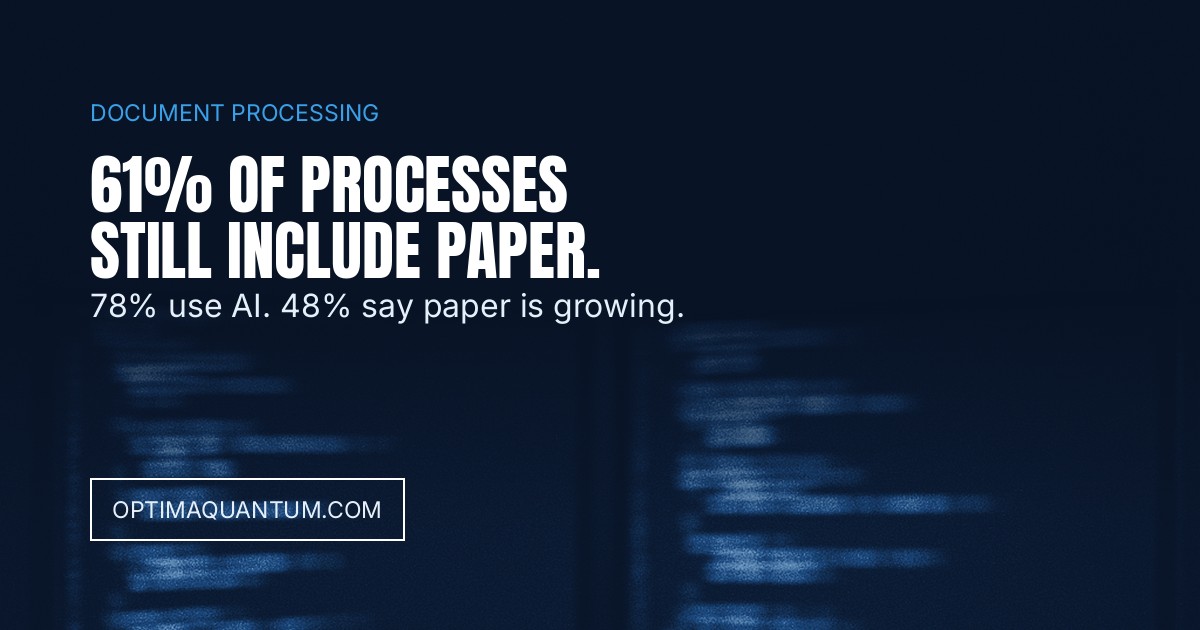
For twenty years the “paperless office” has been sold as a scanning project: buy a scanner, drop invoices into a digital folder, done. The newest survey in the industry takes that apart. AIIM and Deep Analysis asked over 600 enterprises across the US, Germany, Austria and Switzerland in 2025 — companies that already run AI-powered document processing, not laggards — and found that 61% of their processes still involve paper somewhere, and 48% say their paper use is growing, not shrinking.
Table of Contents
- What a paperless office with AI actually means
- What nobody tells you: document AI doesn’t kill paper on its own
- The 4 pieces that actually matter
- Where AI fits into each one
- How to start without losing a single document
- FAQ
- Checklist before you launch it
What a paperless office with AI actually means
It’s not scanning what already exists — that’s digitization, the first step, not the goal. A paperless office with AI is a full flow where no document needs to exist on paper at any point in its lifecycle: it arrives digital (or gets captured and the original is destroyed under a controlled policy), gets processed, gets signed, gets archived under the correct legal retention period, and gets retrieved in seconds when needed — without anyone opening a filing cabinet.
Why almost nobody actually gets there
The 61% figure isn’t about companies that haven’t started — it’s about companies that already bought an AI tool to process documents, and paper still gets in somewhere: a vendor that still mails printed delivery notes, a customer who signs on paper “because that’s how it’s always been done,” a department that prints the PDF to review it by hand. Automating how a document gets read doesn’t fix why that document arrived on paper in the first place.
What nobody tells you about document AI and paper
The sales pitch for almost any document-digitization tool centers on extraction: upload a PDF or a photo, the AI hands you structured data. We covered that in detail in AI Document Processing for Business — and it’s still real and worth doing. But the same AIIM survey found that 78% of enterprises already have AI operational in their document processing, and paper hasn’t just failed to disappear — for nearly half, it’s increasing. AI solves “what to do with the document once it’s digital.” It doesn’t, by itself, solve why the document was born on paper in the first place.
78% of enterprises already have AI in their document processing. 61% of their processes still touch paper somewhere, and for 48%, paper is increasing, not decreasing.
A decade earlier, AIIM had already measured the same symptom from a different angle: in its 2015 “Paper Wars” study, only 17% of organizations described their office as genuinely paper-free, and 31% admitted theirs was “piled high with paper documents and paper processes.” Ten years and a full wave of generative AI later, the problem isn’t reading technology — it’s that nobody touched the intake, the signature, or the retention policy.
The 4 pieces that actually matter
1. Capture at the source. What never arrives on paper doesn’t need digitizing later. A web form, a WhatsApp channel or a structured email replace paper before it exists, instead of scanning it after the fact. 2. Electronic signature with real legal weight. Earlier AIIM research found 56% of companies stayed tied to paper purely for signing contracts and purchase orders. Without an e-signature with the right legal standing, any “paperless” flow breaks at the very last step. 3. Workflow, not just storage. Saving a PDF in a folder isn’t a paperless process if someone still has to print it for another person to approve by hand. The document needs to move itself between the right people, with approvals and deadlines built in. 4. Retention and compliance. A badly archived digital document is just as risky as a lost paper one — with the added problem that an audit or inspection can ask you to prove exactly how long, and where, it was kept. This connects directly to what e-invoicing mandates already require: having the document isn’t enough, you have to be able to prove its trail.
Where AI fits into each piece
At capture, a language model can automatically classify what comes in (invoice, contract, delivery note, complaint) without anyone opening it first to decide where it belongs. At signature and workflow, AI can flag missing fields or a clause that deviates from the standard before passing the document to the next person — the same principle behind AI contract review. At retention, a well-designed system applies the correct retention policy by document type, instead of keeping everything forever “just in case” or deleting it before it’s legally required. And when a company’s document volume is too large for any one person to hold in their head, a private knowledge base — what we cover in Private AI for Company Documents — lets staff ask in plain language instead of hunting folder by folder.
How to start without losing a single document
1. Measure where paper actually enters first, not where you assume it does — it’s almost always one vendor, one channel or one department, not “the whole company” at once. 2. Close the intake before automating the output. Replacing the channel paper arrives through matters more than buying an AI tool to read what already arrived that way. 3. Fix the signature before the archive. If the bottleneck is still “this has to be signed in person,” no amount of digitization downstream fixes it. 4. Define the retention policy by document type, not one rule for everything — a contract, an invoice and an email don’t carry the same retention period or the same obligations. 5. Measure the paper still coming in every quarter, not just what you already eliminated — the 48% figure says that, left unmeasured, it grows back on its own.
FAQ
Does scanning all our old documents make us a paperless office? No. It fixes the past, not the future. If paper keeps entering through the same door as before, you’re back to a pile to scan in six months.
How long does it take a mid-size company to remove paper from one full process? It depends on how many of the 4 pieces — capture, signature, workflow, retention — are already solved. Starting with a single high-volume process (invoicing, vendor contracts) before expanding company-wide is the usual path.
Do we need to switch vendors to stop receiving paper? Not always. Often it’s enough to offer a digital alternative that’s easier than paper — an upload link, a WhatsApp number — for the vendor or customer to stop printing on their own, without you having to force it.
Is electronic signature legally valid? In most jurisdictions, yes, with the right standard of qualified or advanced electronic signature. The problem is almost never legal validity — it’s the friction of implementing it properly inside the actual workflow.
What about documents the law requires to stay on paper? There are very few, and fewer every year — worth identifying explicitly instead of assuming “everything has to stay on paper just in case,” which is exactly the habit keeping the 61% alive.
Checklist before you launch your paperless office project
1. Do you know exactly which door paper is still coming through, or are you just guessing? 2. Does your e-signature cover 100% of what’s signed by hand today, or only the simple cases? 3. Does the document move itself between people, or does someone still print it for another person to review? 4. Do you have a different retention policy per document type, or do you keep everything the same “just in case”? 5. Will you measure the paper coming in every quarter, or discover a year from now that it grew back?
Actually removing paper is a problem of four pieces working together — capture, signature, workflow and retention — not of buying an AI tool that reads PDFs faster. That’s what we build at OptimaQuantum: full document flows, not just scanning. Check our AI automation services or contact us to review where paper is still getting into your business.
Related articles
- AI Document Processing for Business
- AI Contract Review for Business
- E-Invoicing Mandates for Business
- Private AI for Company Documents
Get our new articles by email
One email per article. Unsubscribe anytime.